
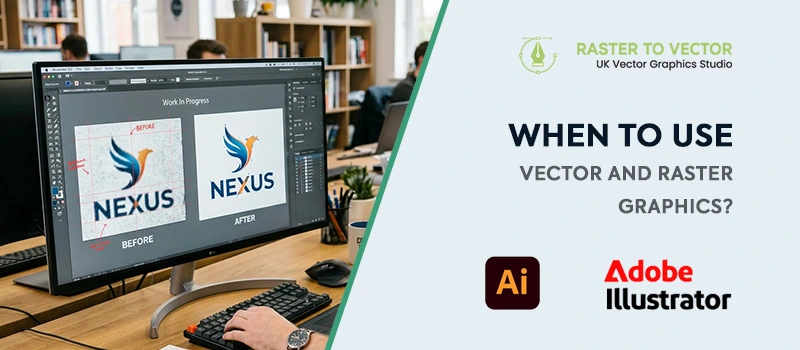
Choosing the right image format is the first step to creating a great design. There are mainly two types of graphics, vector and raster. Both have their special advantages. To get those advantages, you need to know when to use vector and raster graphics.
Many people use these two graphic types without fully understanding how they work. As a result, they get blurry images. As a UK Vector Graphics Studio, we will explain the key differences between vector and raster graphics.
It’ll help you to decide which format works best for you.
What is Raster Graphics?
In simple terms, pixel-based images are raster graphics. Each pixel contains a specific colour. Together, they form the complete picture you see on your screen.
Most photographs are raster-based. Because they contain many pixels. They can showcase fine details on a digital screen. Raster file formats are JPG, JPEG, PNG, GIF, and TIFF.
Raster graphics are suitable for realistic shading. For example, photographs rely on colour transitions. Raster images can represent that very effectively. You will see raster graphics used for digital photography, website images, blog visuals, and social media graphics.
What is Vector Graphics?
Vector graphics are resolution-independent graphics built with paths. Vector graphics are not made from pixels. This is the main difference. Because of the paths, the overall image quality stays the same for all image sizes.
Those paths define how the image is created. This is the reason to scale infinitely without losing quality.
The edges remain smooth even after zooming 500%. Vector file formats are AI, EPS, SVG, and PDF. So, when to use vector graphics? Vectors are used for scalable graphics.
Logos, brand identity, icons, symbols, and Illustrations are created in vector format. Also, you can get it through raster to vector conversion.
Main Differences Between Raster and Vector Graphics
| Raster Graphics | Vector Graphics |
| Based on pixels | Based on Paths |
| Suitable for digital screen | Suitable for digital screen and printing |
| Lose Quality when resized | Don’t lose quality when resized |
| Not suitable for logo, business cards, and print materials. | Suitable for logo, business cards, and print materials. |
| Limited Resolution | Unlimited Resolution |
| Not easy to modify and customize | Easy to modify and customize |
| JPG, PNG, JPEG file format | AI, EPS, SVG file format. |
When To Use Raster Graphics?
As we have mentioned earlier, in some situations raster graphics work best. It’s the best choice for digital photography. Photographs rely on shading, lighting, and texture. These visual elements require thousands of colour variations. Raster images can handle that effectively.
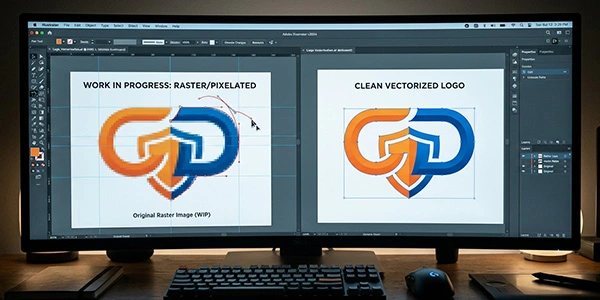
You should consider using raster graphics when working with Photography, photo editing, and social media visuals. Raster formats are also ideal when images will be displayed at a fixed size.
When To Use Vector Graphics?
Most of the professional platforms need vector graphics. It is ideal for designs with flexibility and scalability. Vector images can be resized without losing quality. They are widely used in branding and professional printing. You should use vector graphics for business logos.
Also, it is the best solution for brand identity graphics, product packaging, large banners, flyers, brochures, and posters. A company logo needs to be on different platforms, including a large surface. A vector file ensures the logo remains perfectly sharp in all situations.
Can Raster Images Be Converted into Vector Graphics?
Suppose you only have a raster version of an image. Can you convert those JPG or PNG files into vector graphics? Thankfully, raster images can be converted into vector graphics through a process called vectorisation. During this process, the original image is recreated using vector paths and shapes.
There are two main ways this can be done. Some software tools offer automatic image tracing. This method is fast. The results are inaccurate. Fine details will be lost in this process. Manual Vector Conversion is the better choice. This is a reliable approach. You’ll get a much cleaner final result.
How To Choose the Right Format for Your Project?
If you’re unsure which format to use, some simple guidelines will help you decide. You have to choose raster graphics if your image is a photograph. Pixel-based images provide better results for the combination of millions of colors. You can place the image on websites for digital screens.
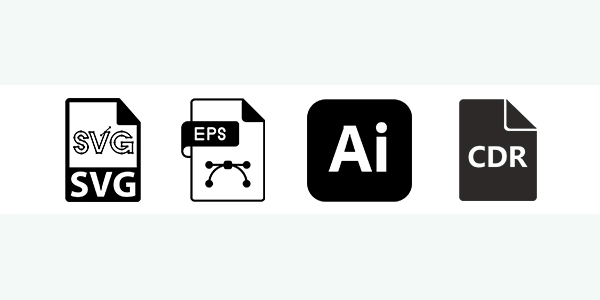
On the other hand, you should choose vector graphics for business identity-related images such as logos, business cards, flyers, brochures, and other printable designs. You can easily resize shape-based images. It’s suitable to be printed in large formats. Also, you can use it as editable graphics.
Sum Up
Raster and Vector graphics are both important for their specific uses. You have to decide when to use vector and raster graphics based on your requirements. So, the best choice depends on the type of project you’re working on.
The good thing is that you can convert a raster image into a vector by getting professional vector conversion services. The price is not that high. So, it will save your time and money at the same time. Let’s get started with a vector project now and enjoy the facilities of having a virtual editing partner.
FAQ’s
What is the main difference between vector and raster graphics?
Raster graphics are made from pixels. Vector graphics are created using paths and shapes. Raster images lose quality on a large scale. Vector graphics are always sharp at any size.
Which format is better for logos?
Vector format is the best choice for logos. It allows the design to change to any size without losing quality. You can easily place the logo on any image. Also, it’s suitable for printing.
Why do raster images become blurry when enlarged?
Raster images are built from a fixed number of pixels. When you increase the size, those pixels become visible. It has a limited resolution. You can not increase the original image without getting blurriness.
Which format works best for large printing projects?
Vector graphics are the best choice for large printing projects. This type of graphics is suitable for banners, signs, and posters. No chance of losing sharpness at any size.